
Apprentice overview
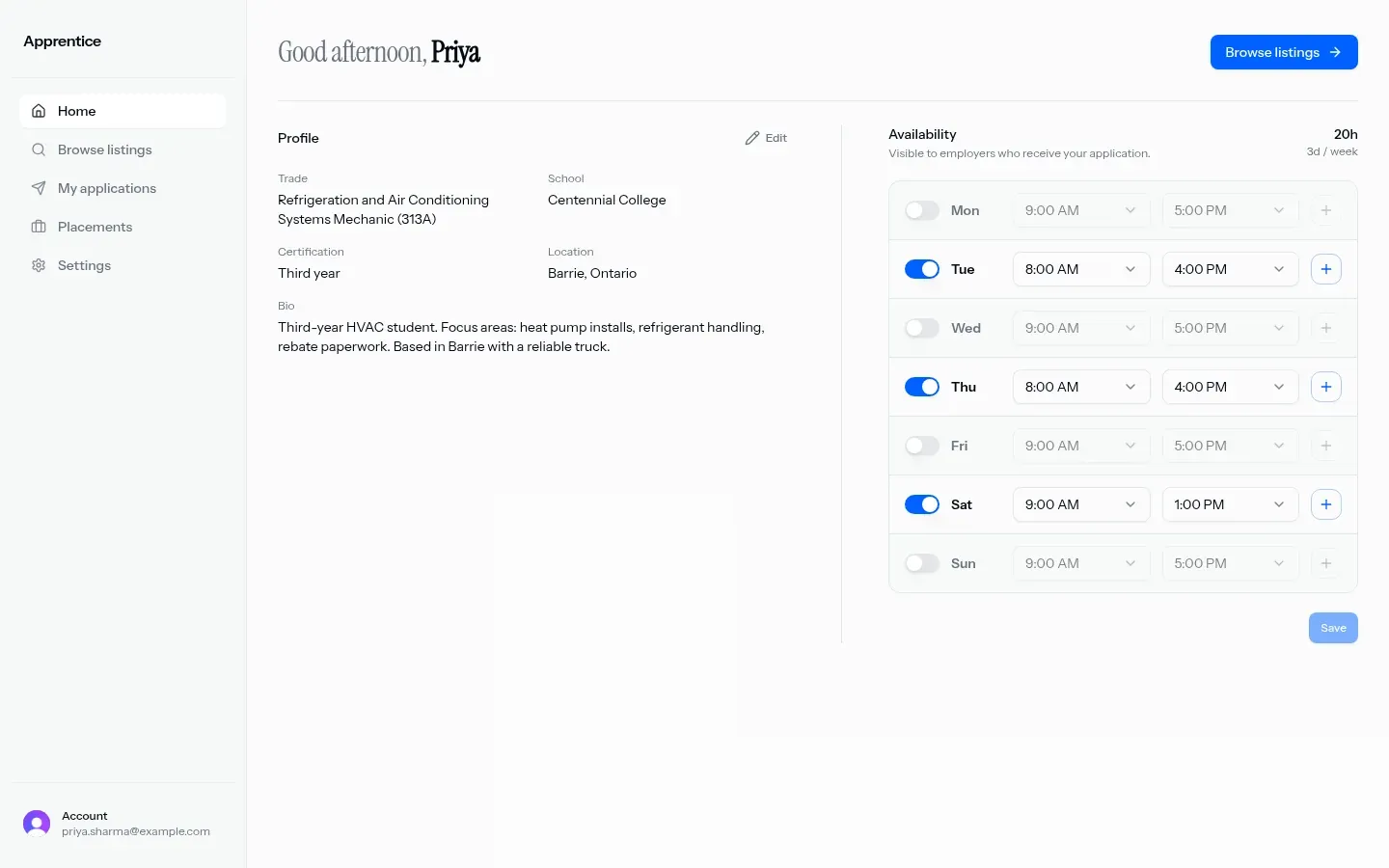
Apprentice is AiNDORA’s signed-in product for trade students and apprenticeship organizations. Students build a profile, set weekly availability, browse listings, apply, and track placements. Organizations publish openings, review applicants (including schedule fit), and manage placements.
Schedule and availability are central to the product. Browse may show Recommended for you; you type your own apply message.
Who it is for
Section titled “Who it is for”- Trade students looking for apprenticeship openings
- Organizations that mentor, sponsor, or both, and need to post listings and review applicants
Student Apprentice accounts cannot use Match. Match shows a student-account screen and requires a separate employer or recruiter account (see Match overview).
Typical loop
Section titled “Typical loop”- Sign up or sign in
- Choose how you will use Apprentice: I’m a student or I represent an organization
- Students: complete your student profile, set availability (home or Availability), browse Browse listings, apply, track My applications and Placements
- Organizations: complete organization setup, publish under Listings, review Applications, coordinate Placements
For step-by-step guides, see For students and For organizations.
Roles and navigation
Section titled “Roles and navigation”Your role controls the sidebar. Labels below match the Apprentice web app.
| Role | Nav |
|---|---|
| Student | Home, Browse listings, My applications, Placements, Settings |
| Organization | Home, Organization, Listings, Applications, Placements |
Availability is a real student screen (weekly hours) and also appears on the student home. It is not a sidebar nav item today.
What you can do today
Section titled “What you can do today”| Capability | What you get |
|---|---|
| Sign in | Sign in and sign up |
| Role onboarding | I’m a student or I represent an organization |
| Student profile | Trade, school, certification level, bio, location (Canada location search), resume PDF, experiences, certifications, skills, languages |
| Certification levels | None / pre-apprentice, First year, Second year, Third year, Fourth year, Journeyperson |
| Organization setup | Name, organization type (Contractor / Trade agent / Both), trades, description, location, team size |
| Home | Dashboard tailored to your role (student profile + availability; organization open listings and active placements counts) |
| Availability | Weekly day toggles with time-range slots (30-minute steps) |
| Browse | Free-text search, near location or My location, radius 25 / 50 / 100 / 250 km, Paid / Unpaid chips |
| Recommended strip | Browse may show Recommended for you with short justification text |
| Apply | Sheet from browse: optional Message to employer, then Submit application |
| Applications (student) | All / Pending / Accepted / Rejected; detail with message thread and resume |
| Applications (organization) | Accept / reject; detail includes applicant résumé, schedule comparison, conversation |
| Listings (organization) | Create / edit / delete: title, trade, description, your role (Mentor / Sponsor / Both), duration, location, paid flag, spots, status (Open / Filled / Closed) |
| Placements | After accept; in-thread messaging |
| Settings (student) | Account name / email / role; optional delete apprenticeship profile |
Application statuses: Pending, Accepted, Rejected.
In these docs
Section titled “In these docs”| Topic | Link |
|---|---|
| Student browse, apply, placements | For students |
| Organization listings and review | For organizations |
| Match (employer marketplace; student accounts blocked) | Match overview |