
Match overview
Match is AiNDORA’s job and hiring marketplace. Contractors post work; trade agents browse open jobs, submit bids, and get hired. You sign in with an organization account (contractor, trade agent, or both).
Discovery in Match is browse and filter: search text, trade categories, location, and radius.
Who it is for
Section titled “Who it is for”- Restoration or construction contractors who need trade capacity per job
- Trade agents (trade businesses) looking for open work to bid on
- Organizations that act as both (post jobs and find jobs in one account)
Student accounts used for Apprentice cannot use Match. Use a separate employer or recruiter account for Match.
Typical loop
Section titled “Typical loop”- Sign up or sign in
- Complete onboarding: choose your organization type, name, location, and trades
- Contractors use Post a Job, review bids on the job, accept or reject, then track Hirings
- Trade agents open Find Jobs, filter open work, submit a bid, and track My Bids and Hirings
For step-by-step browse/bid and post/hire, see Find contractors and Post opportunities.
Roles and navigation
Section titled “Roles and navigation”Your organization type controls the sidebar. Labels below match the Match web app.
| Organization type | Nav |
|---|---|
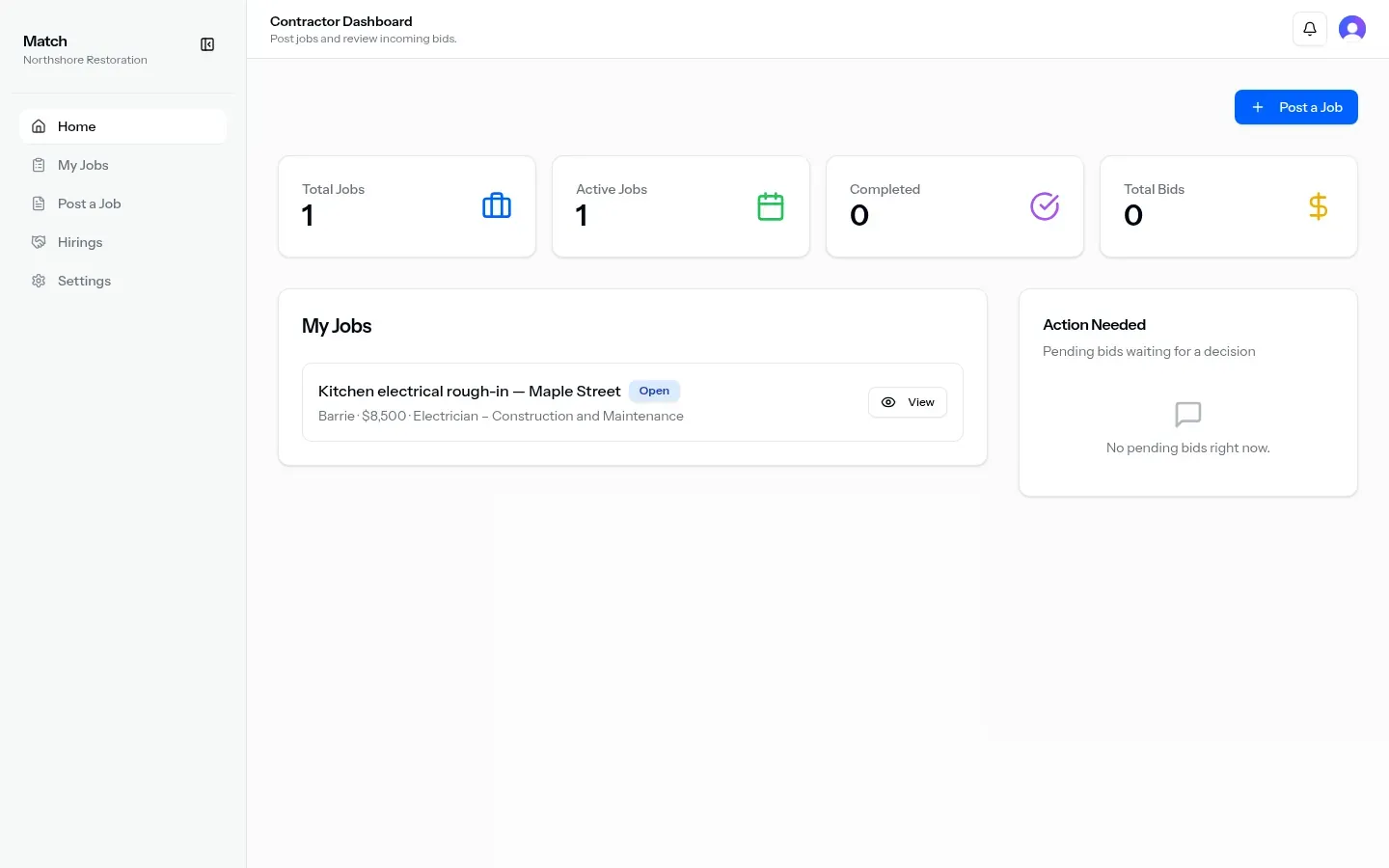
| Contractor | Home, My Jobs, Post a Job, Hirings, Settings |
| Trade agent | Home, Find Jobs, My Bids, Hirings, Settings |
| Both | Home, My Jobs, Post a Job, Find Jobs, My Bids, Hirings, Settings |
| Audience | Home title |
|---|---|
| Contractor | Contractor Dashboard: post jobs and review incoming bids |
| Trade agent | Trade Agent Dashboard: find jobs and manage bids |
| Both | Dashboard: post jobs, find jobs, and manage hirings |
What you can do today
Section titled “What you can do today”| Capability | What you get |
|---|---|
| Sign in | Sign in and sign up (Google and email/password where shown) |
| Onboarding | Organization type (contractor / trade agent / both), name, description, location search in Canada, trades multi-select |
| Home | Dashboard tailored to your role (recent jobs or bids) |
| Post a job | Title, description, budget, bid deadline, trade category, location (town, postal code, country, map pin), attachments |
| My Jobs | List and job detail (bids, comments, accept/reject, status); edit job |
| Find Jobs | Free-text search, trade filters, near location or Nearby, radius 10 / 25 / 50 / 100 / 200 km |
| Bids | Submit amount, timeline, workforce, message, attachments; track under My Bids |
| Hirings | After a bid is accepted (contractor sees trade agent; trade agent sees contractor) |
| Settings | Account and organization fields (type, location, trades, team size) |
| Notifications | In-app Match notifications in the dashboard header |
When you post jobs, statuses include Open, Bid Accepted, Hired, and Completed. Bid statuses include Pending, Accepted, and Rejected.
In these docs
Section titled “In these docs”| Topic | Link |
|---|---|
| Browse jobs and bid | Find contractors |
| Post a job and hire | Post opportunities |
| Restoration ops after hire | Flow overview |