
Flow: Getting started
Flow is where restoration work lives, from scope clarification through completion. This page covers your first session. For sign-in, register, Google, and password reset, see Accounts and sign-in.
First-session path
Section titled “First-session path”After you sign in, Flow picks where you land:
- Not finished setup yet → Set up your account
- Setup done, no organizations yet → Organizations
- Setup done with organizations → your work hub for the last organization you used (or the first one)
If you open a page that needs a finished account before setup finishes, Flow sends you through setup first, then returns you afterward.
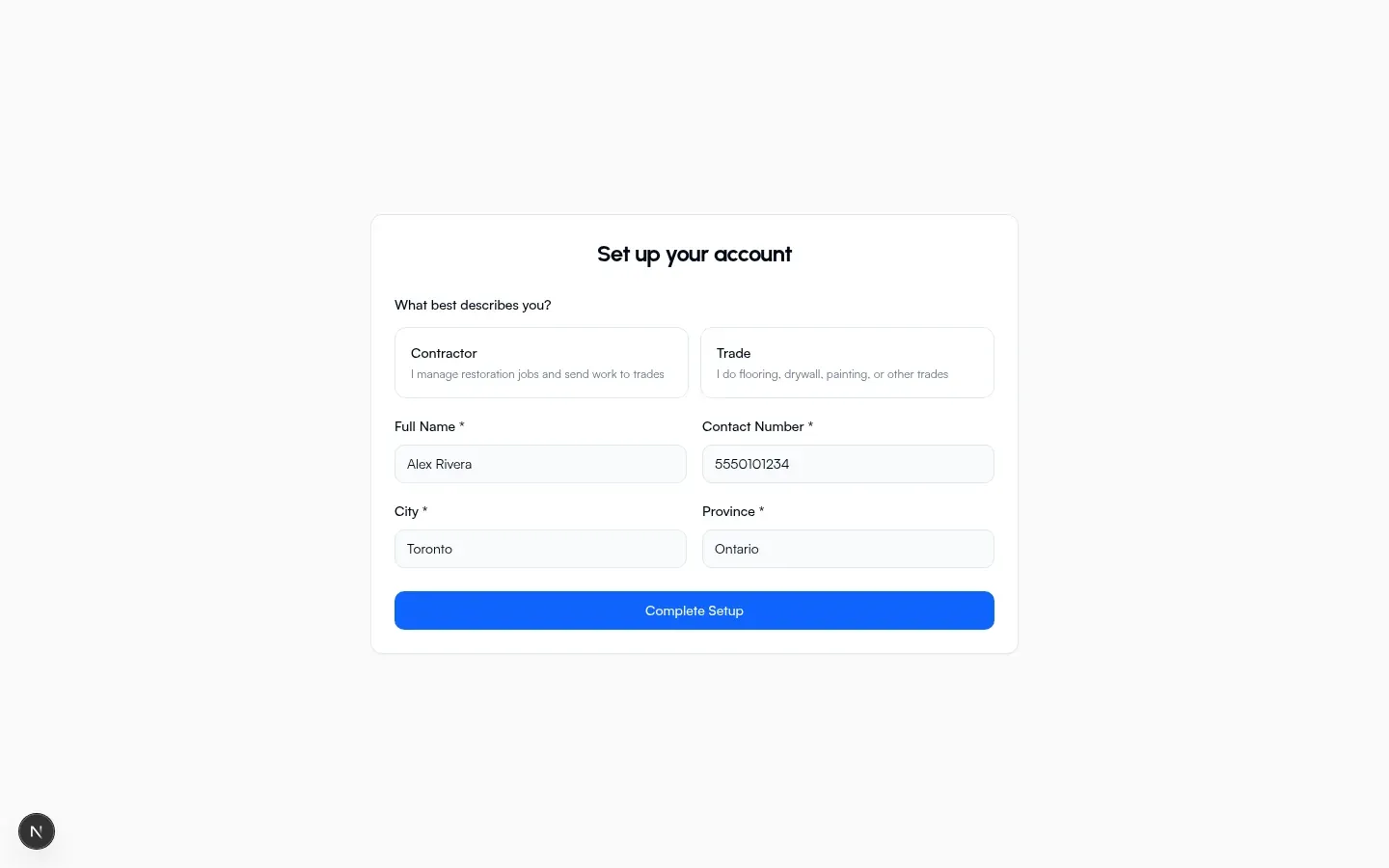
Finish setup
Section titled “Finish setup”- Welcome card branded aindora. Short product blurb, then Get Started.
- Set up your account: choose What best describes you?
- Contractor: manage restoration jobs and send work to trades
- Trade: flooring, drywall, painting, or other trades
- Fill required fields: Full Name, Contact Number, City, Province.
- Choose Complete Setup.
When setup succeeds, Flow marks you ready and continues to Organizations (or the page you were trying to open).
Organizations
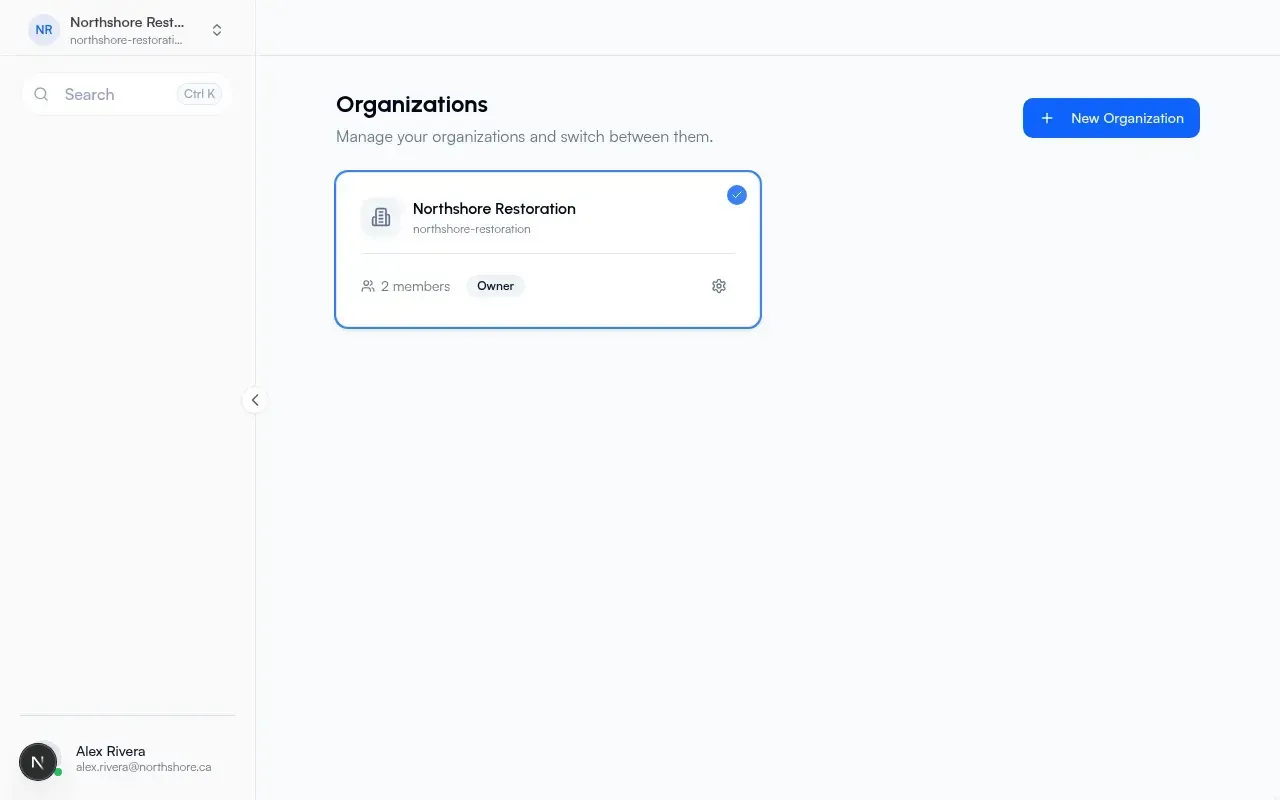
Section titled “Organizations”Page title: Organizations. Subcopy: manage your organizations and switch between them.
- If you have no companies yet, you see No organizations yet and Create Organization.
- Or choose New Organization in the header.
- In Create Organization, enter Name (example: Acme Construction) and Create.
- After create, Flow may offer Import from free tools? if you have items from before signup.
- Open a company card to enter its work hub, or use the settings gear for Settings.
Invite links are handled on a separate invitation screen.
Inside an organization
Section titled “Inside an organization”Default hub after you pick a company: the work screen.
| Area | Where to look |
|---|---|
| Work hub | Work (default landing) |
| Projects | Projects |
| Create project | Create / new project |
| Scope clarifications | Scope Clarifications |
| Quotes | Quotes |
| Work orders | Work orders |
| Company settings | Settings |
| Company activity | Activity |
Inside a project you will also see home, docs, tasks, chat, message board, activity, settings, plus project-level scope clarifications and quotes.
Free tools without an account
Section titled “Free tools without an account”Scope Clarification, Request Quote, and Work Order under free tools work without signing up. People you send those links to can complete them on a phone. After you have a company, you can add items from before signup from the Organizations page when Flow detects them.